 CrisisCMD™
Built for the moments where command matters.
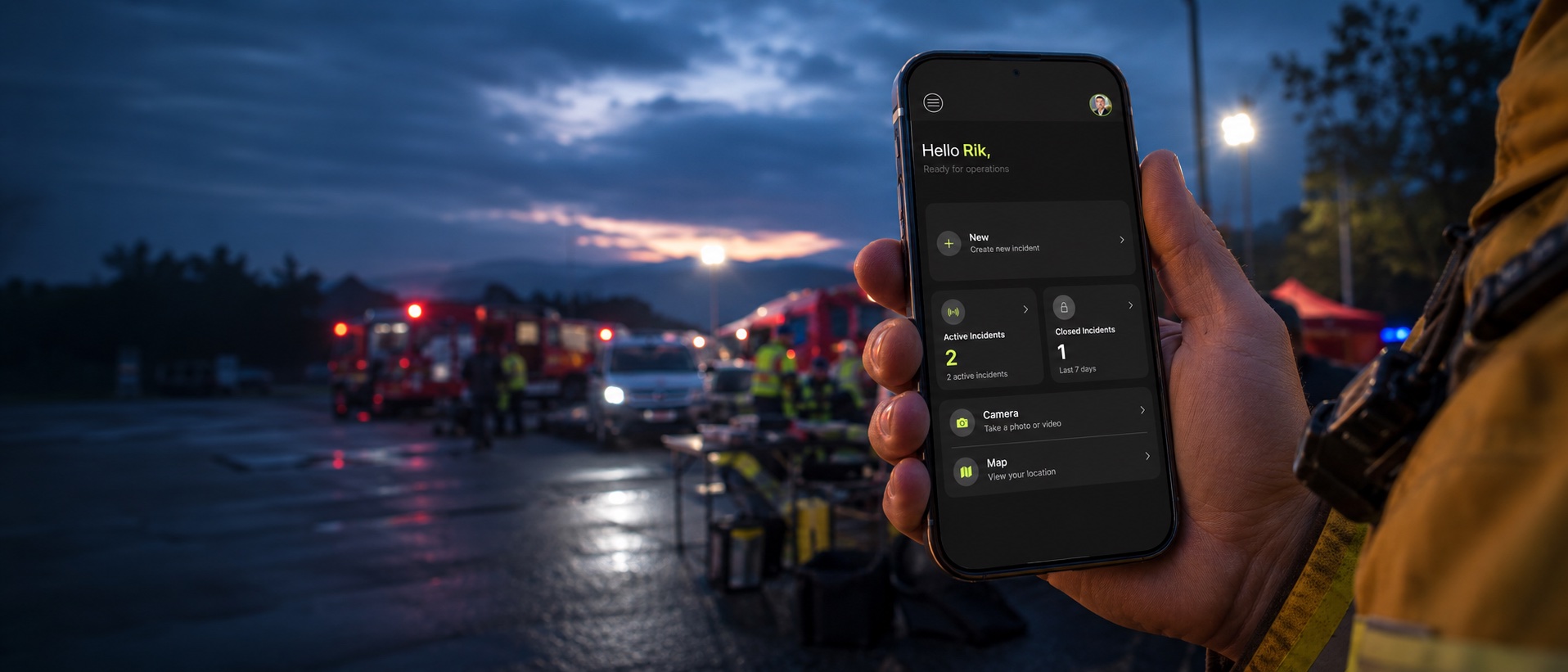
Incident command on your iPhone, iPad and vehicle screen. Log decisions, map the ground and keep a record that cannot be rewritten.
One source of truth for any incident, on any site.
The problem
Every incident forces fast decisions on incomplete information.
Most command tools were built for a desk, not the field.
Information arrives in pieces
Radio, phone and text all at once, with no single picture of what is happening.
Desk tools fail in the field
Logins and timeouts get in the way at the moment you need to act.
The record is rebuilt later
Notes and memory become the evidence when your decisions are reviewed.
CrisisCMD™ puts command in your hand from the first minute.
One app for decisions, the map and the record, on iPhone, iPad and the vehicle screen.
How it works
One incident, from the first call to the review.
Stand up the incident
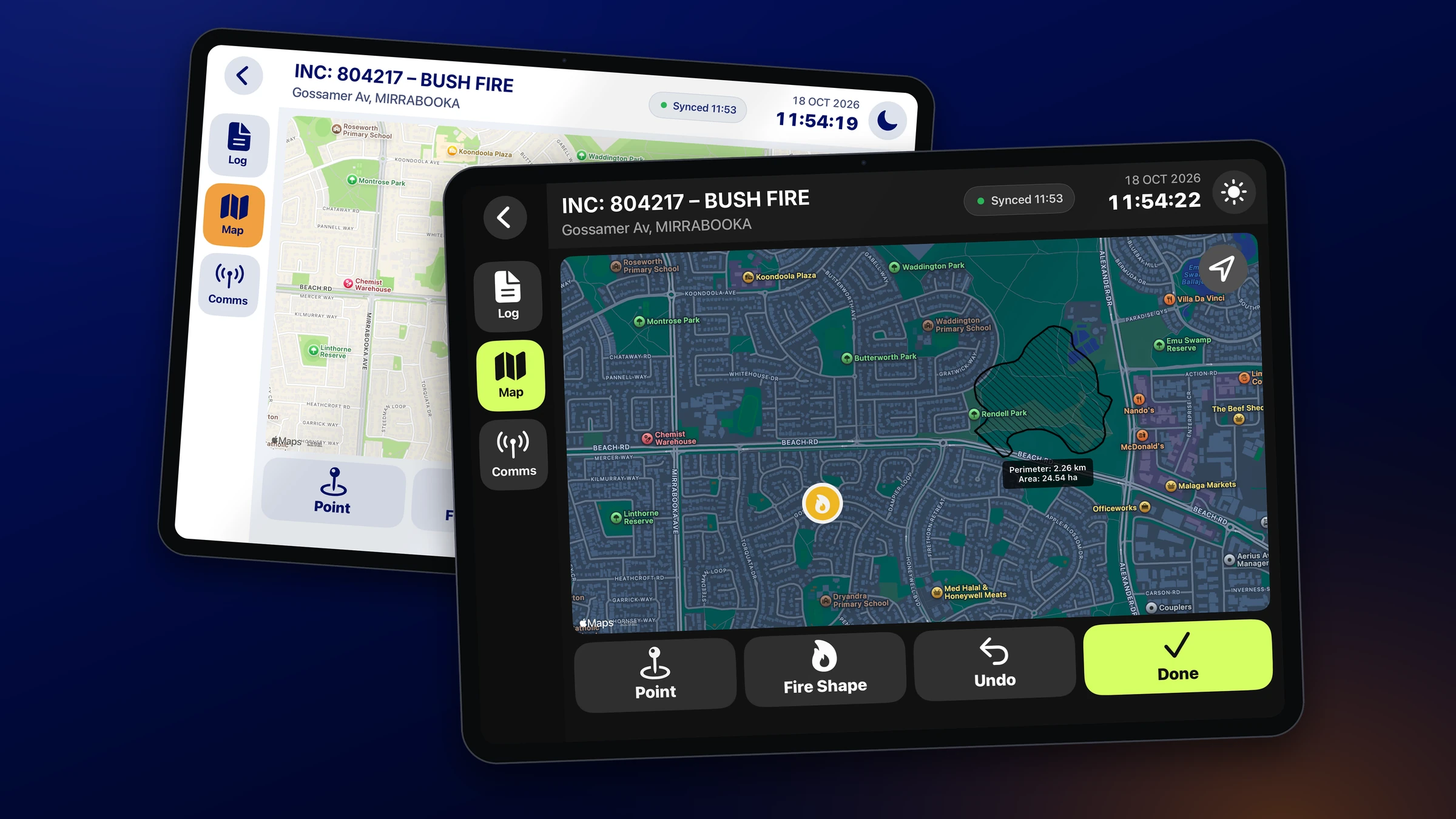
Open an incident in seconds from your phone or iPad. The type, location and ID are set and the clock starts.
Log every call as you make it
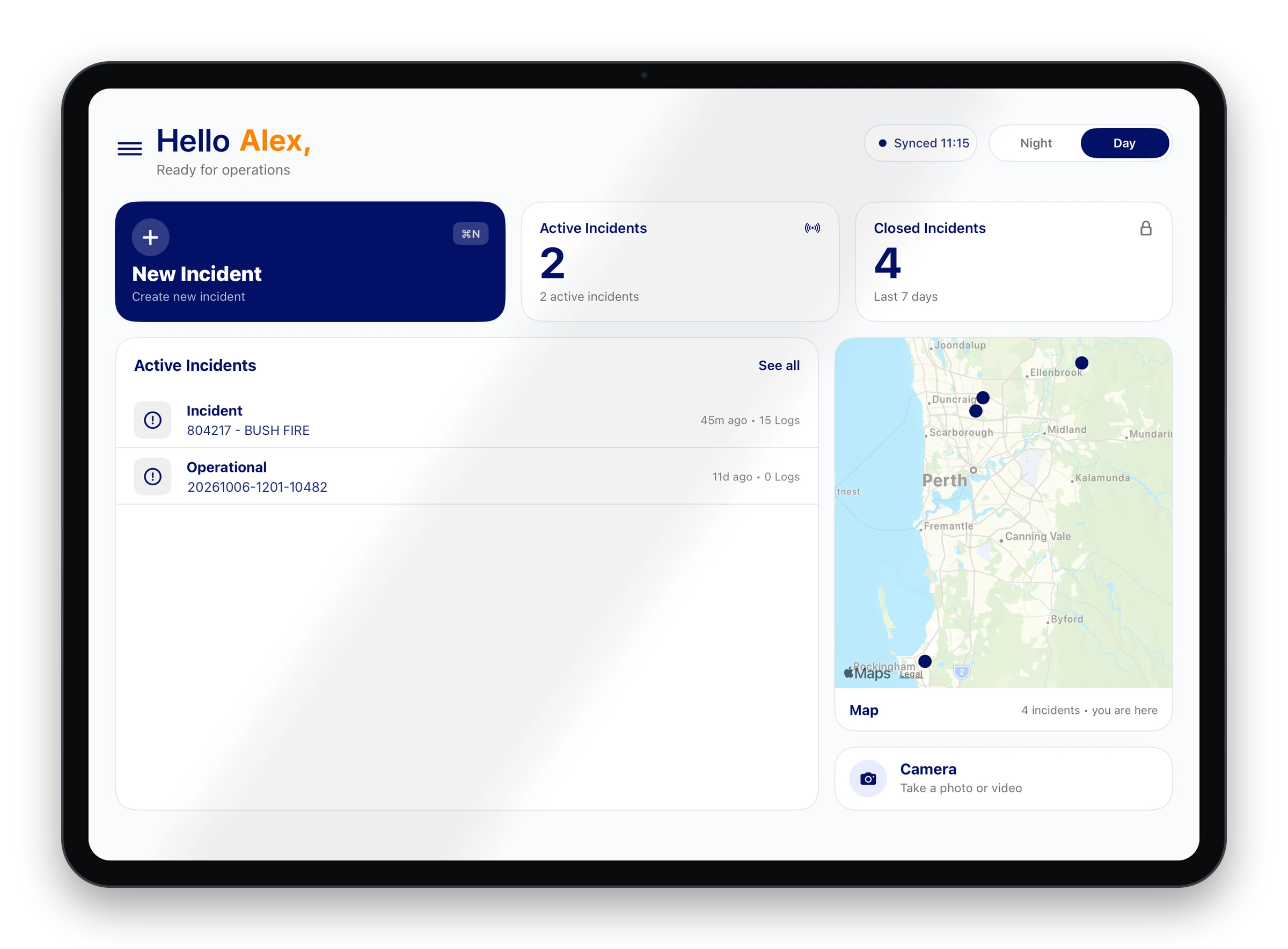
Type or speak a decision and it is numbered, timestamped and locked. Flag it critical and the whole team sees it.
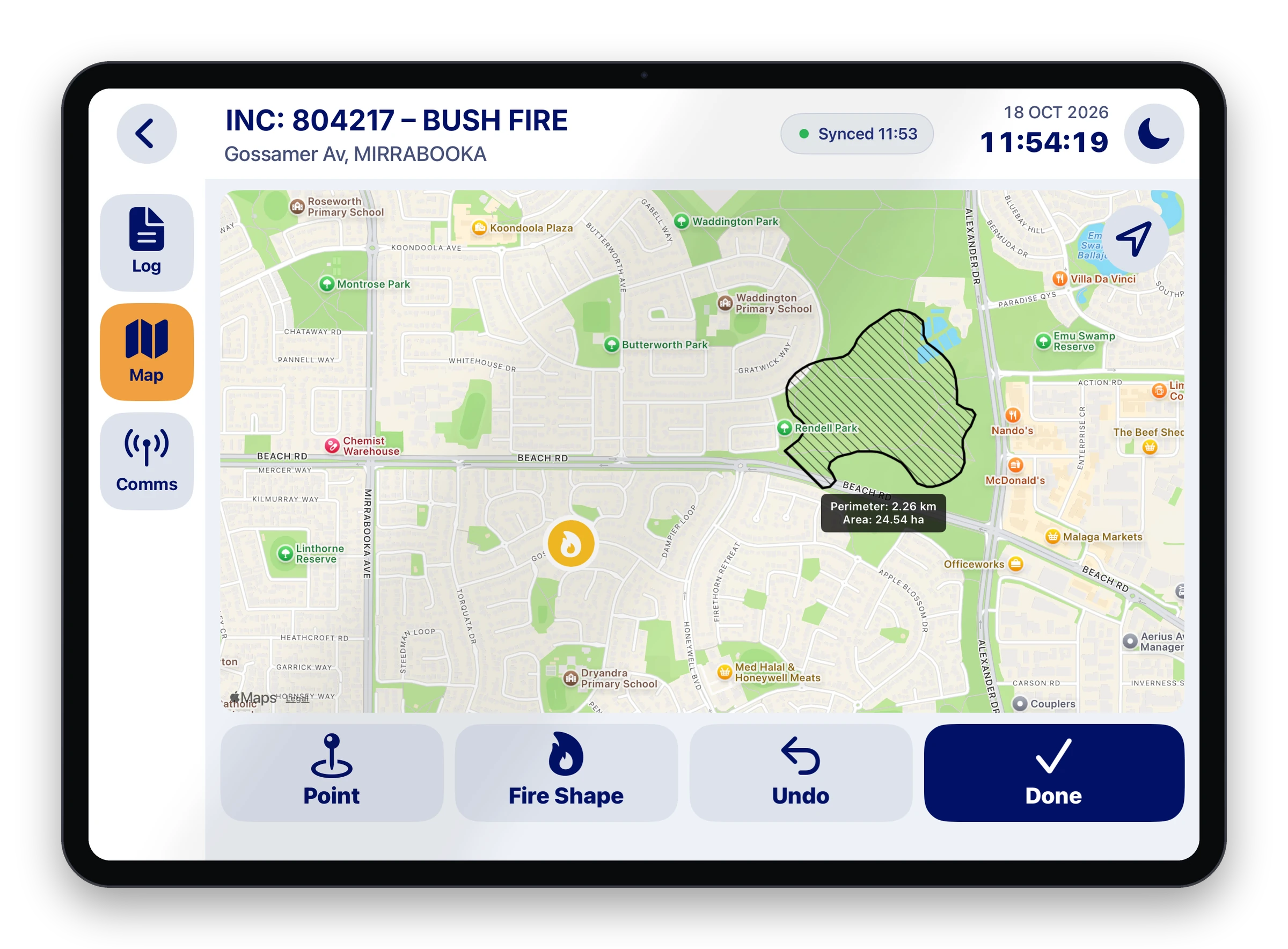
Map the ground
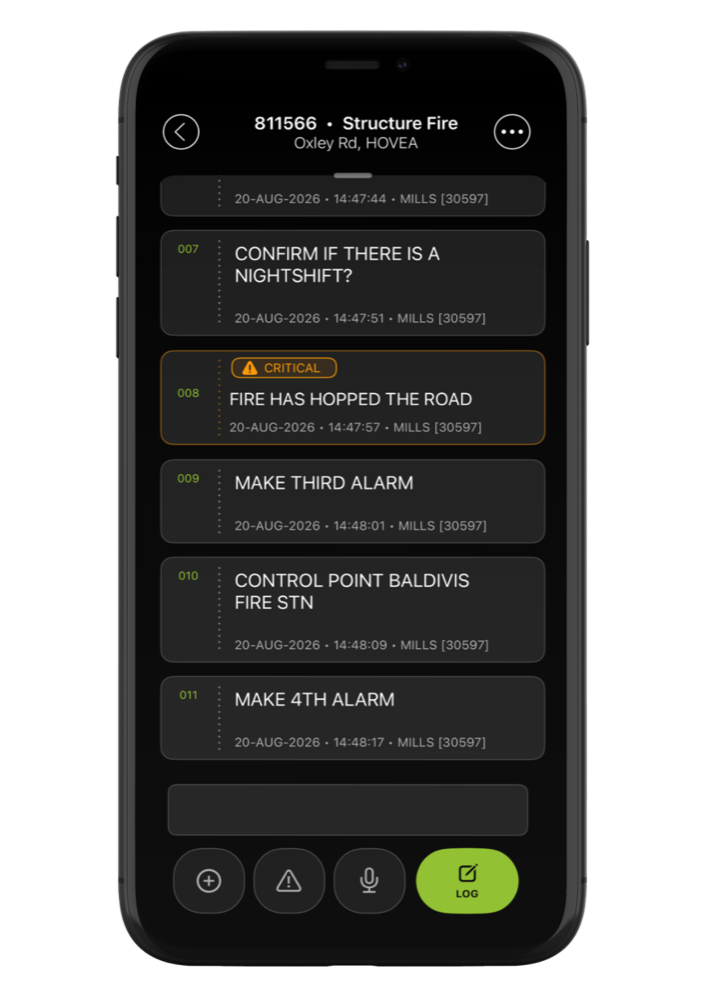
Draw the fire edge and mark control points, water and hazards. Perimeter and area calculate as you draw.
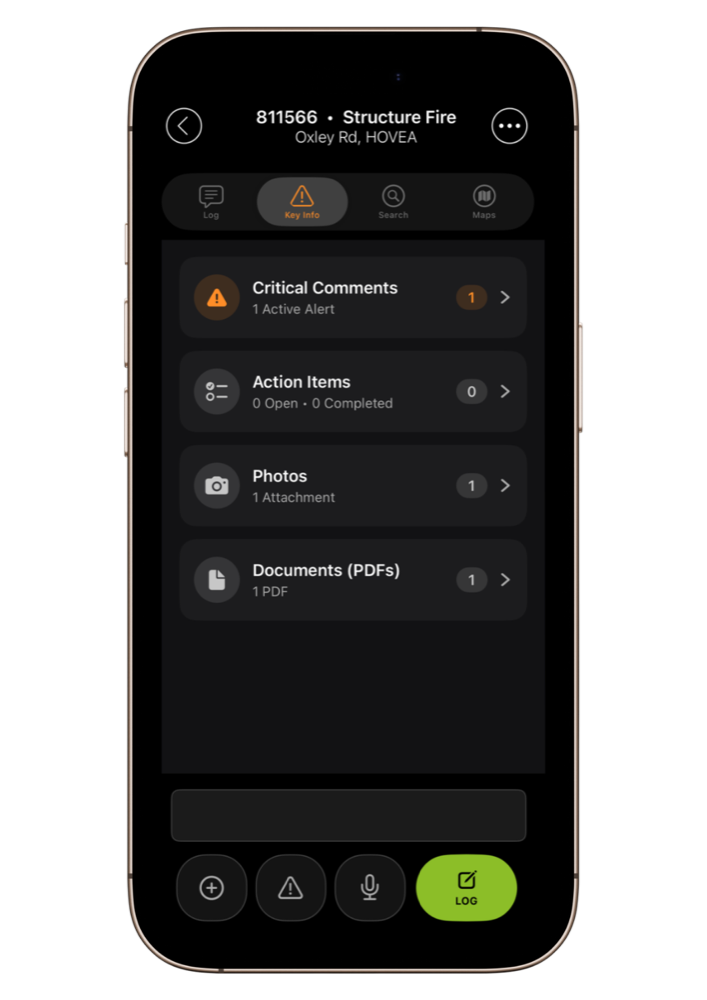
Share one picture
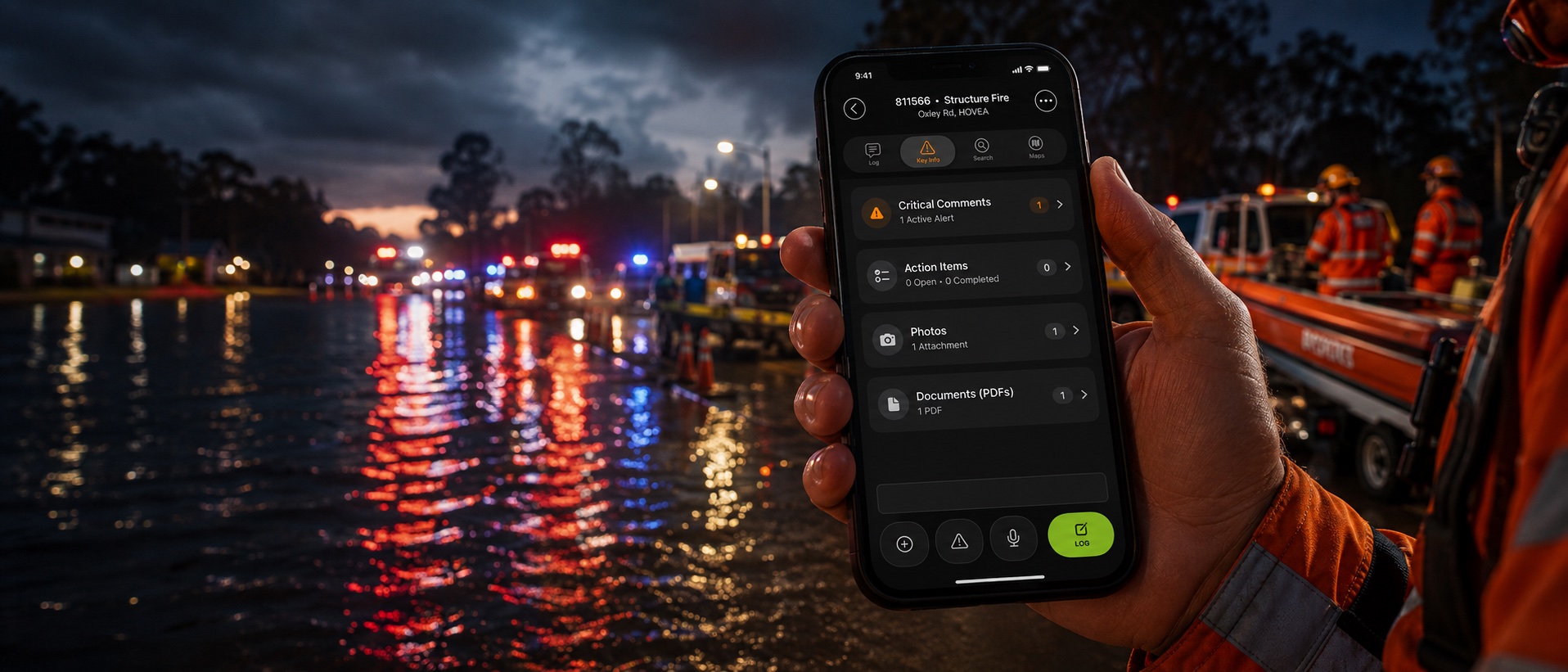
Photos, key information and open actions sit in one place, so everyone works from the same facts.
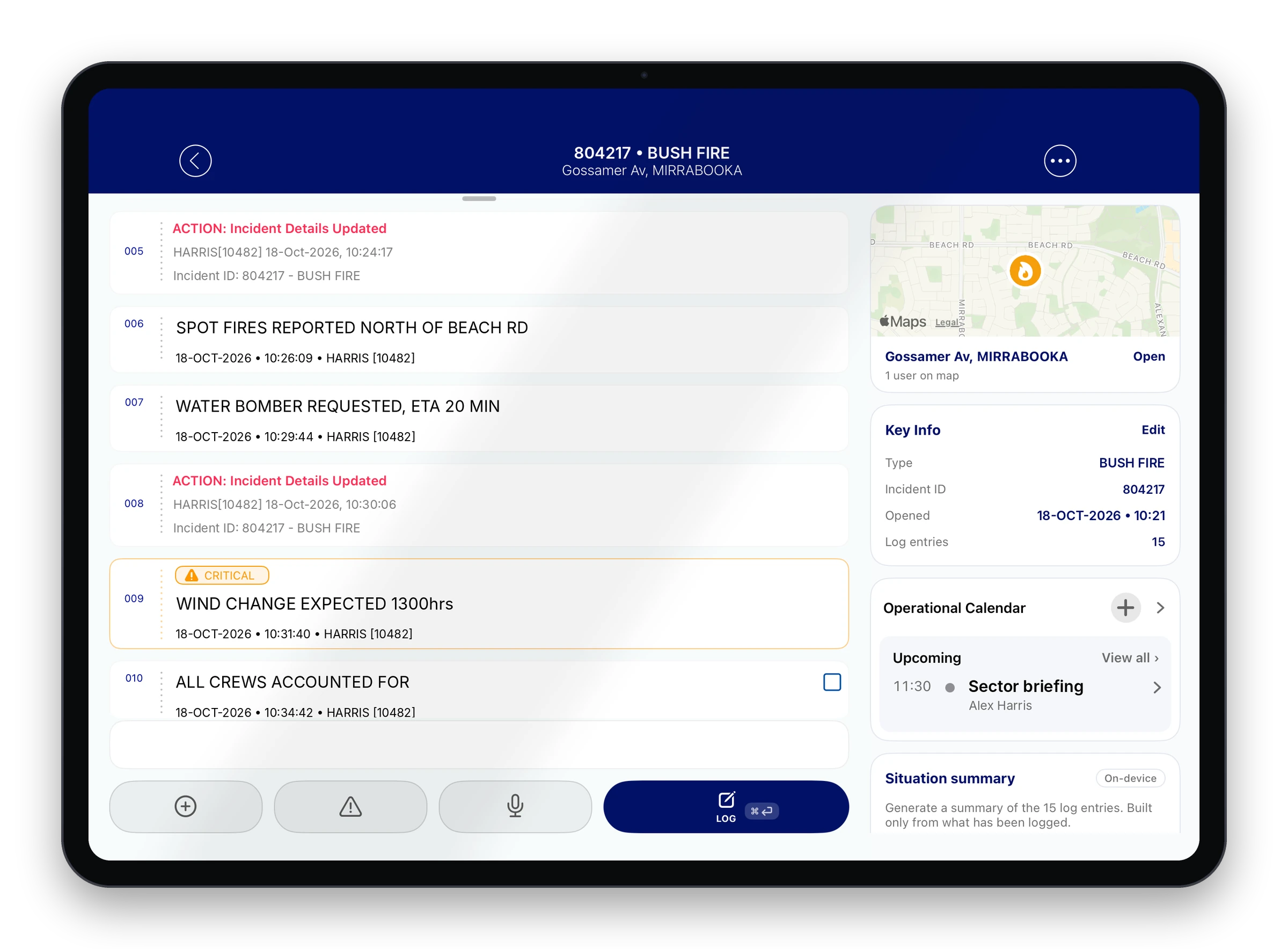
Hand over command cleanly
The incoming commander sees the current picture, key decisions and open actions. An on-device summary is built only from what was logged.
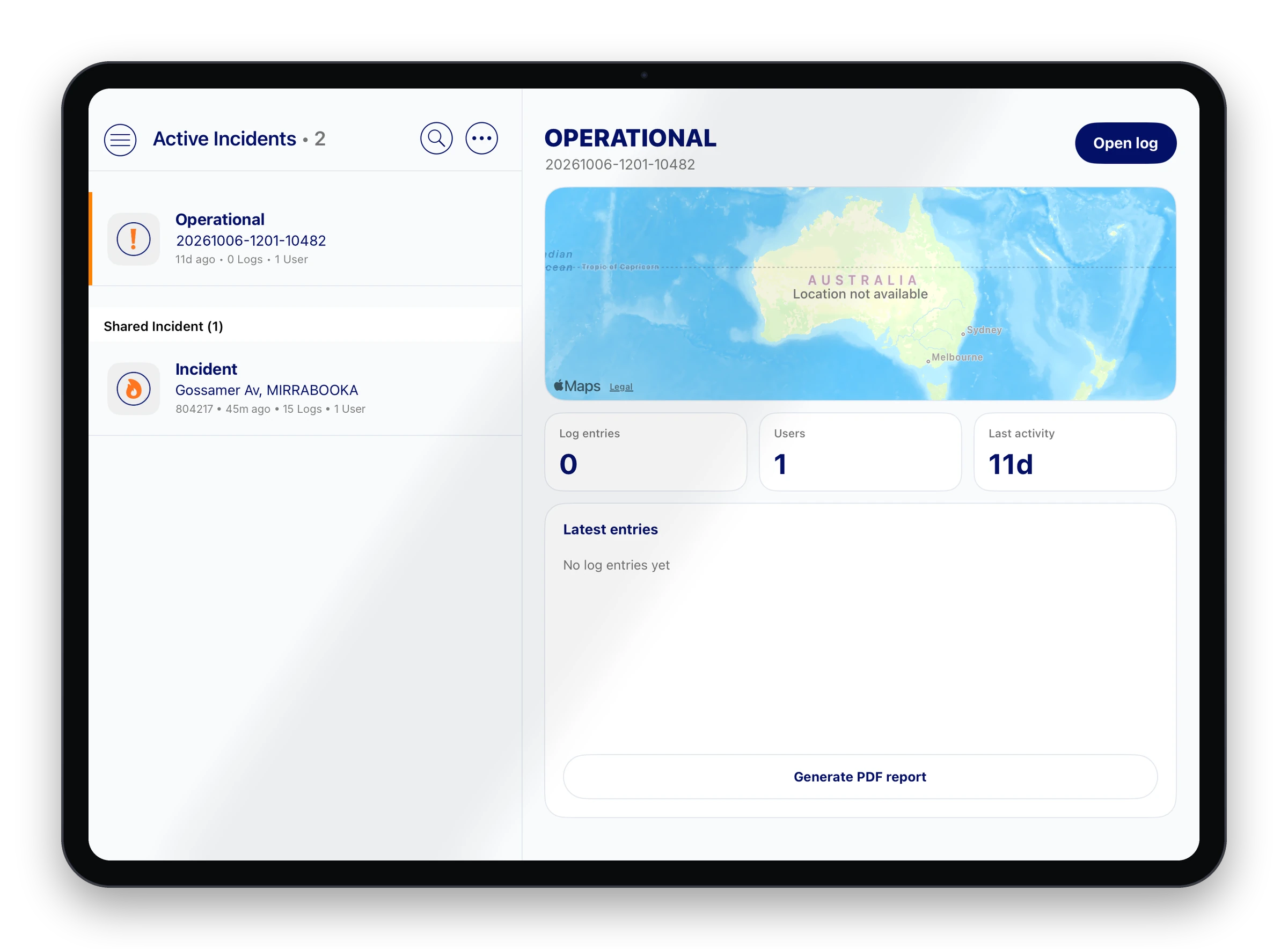
Open the record
Export the full log as a PDF report. Every entry is in order, with who made it and when.
Every screen
The same incident on every device your team carries.
Log, map, key information and briefings side by side at the command post.
In the vehicle
Built to be used at arm's length in a moving cab.
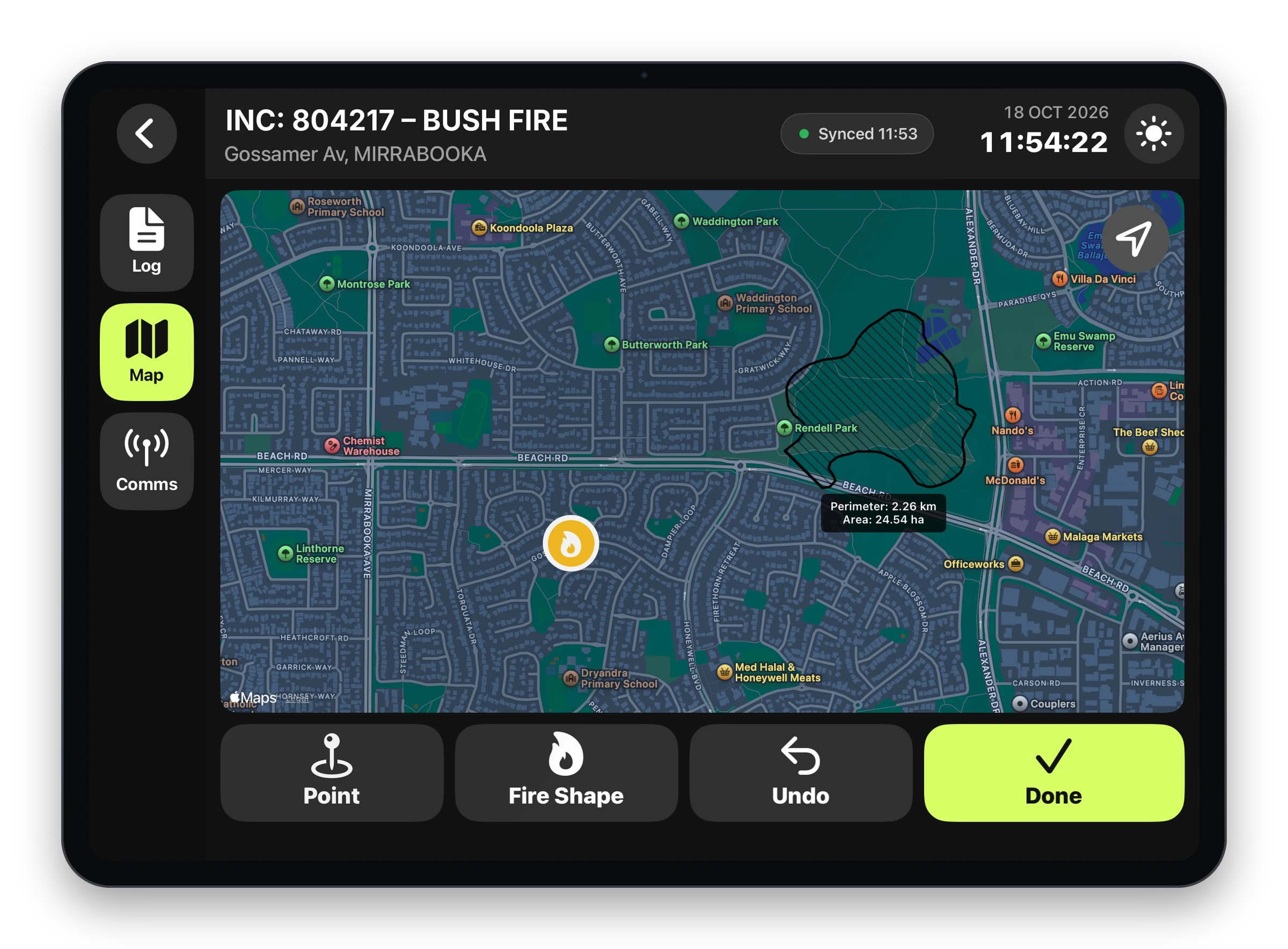
Draw the fire edge
Perimeter and area are calculated as you draw.
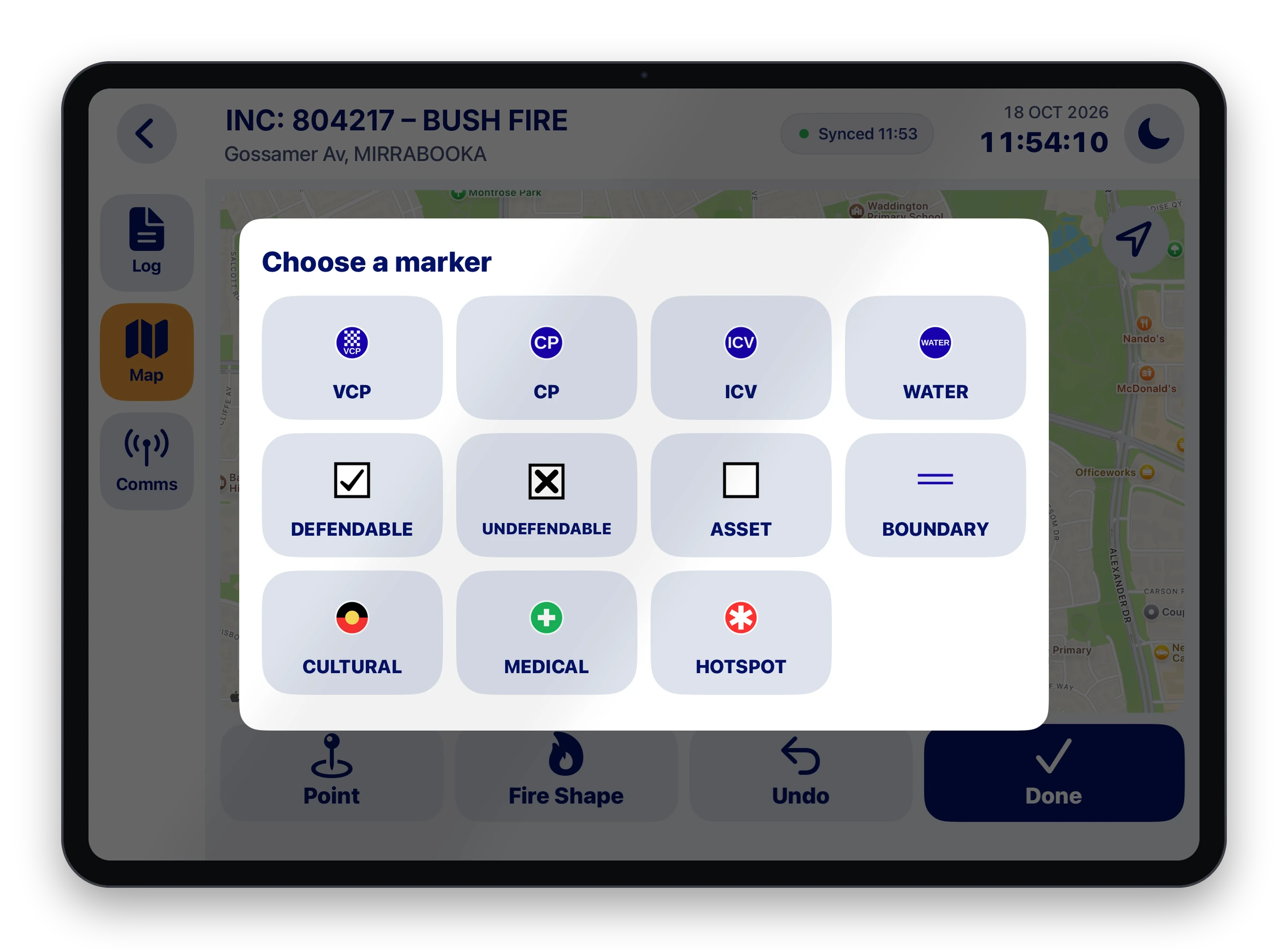
Mark the ground
Drop markers for VCPs, water, assets, cultural sites and hotspots.
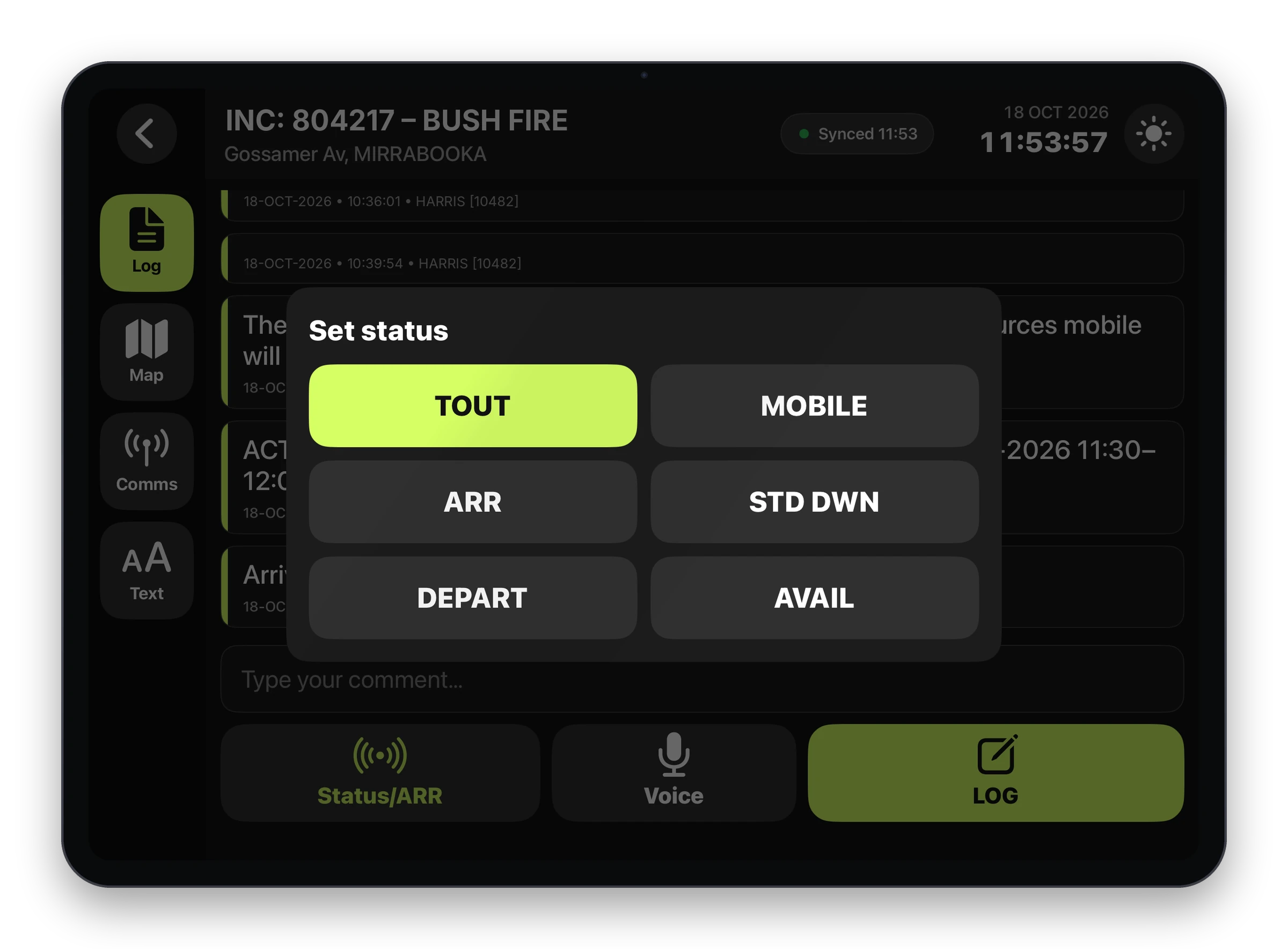
Set status in one tap
Turnout, mobile, arrived and stand down are logged for you.
The record
An audit trail you can stand on.
Every entry is timestamped and locked the moment it is made. Nothing is overwritten and nothing is deleted, so when the questions come you open the record instead of rebuilding it.
Responders can show what they knew and when they knew it.
Leaders can show the response was run properly.
Organisations have a clear record of the response.
804217 · Bush fire
Gossamer Av, Mirrabooka
Spot fires reported north of Beach Rd
18-OCT-2026 · 10:26:09 · HARRIS [10482]
Water bomber requested, ETA 20 min
18-OCT-2026 · 10:29:44 · HARRIS [10482]
Action: incident details updated
18-OCT-2026 · 10:30:06 · HARRIS [10482]
Wind change expected 1300hrs
18-OCT-2026 · 10:31:40 · HARRIS [10482]
All crews accounted for
18-OCT-2026 · 10:34:42 · HARRIS [10482]
Who it is for
Built for any incident and everyone who runs one.
Emergency Services Officers
You run the ERT, support security and report to Corporate. CrisisCMD™ keeps the site, the team and head office on the same picture.
Incident Management Teams
An IMT breaks down when decisions are made in isolation. CrisisCMD™ gives the room the same live picture as the ground.
Career and volunteer responders
The calls that matter are made on site. CrisisCMD™ lets you record them where you make them.
Critical decision makers
In resources, energy and ports a bad hour becomes a board matter. CrisisCMD™ gives you the record to answer for it.
Why we built it
Built by people who have run incidents and sat on the panels that review them.
We know what gets asked afterwards, so we built the tool that answers it while you work.
The next incident is already on its way.
Put CrisisCMD™ on your team's phones before it arrives.
CrisisCMD™ by Resolve Emergency Management. Built in Western Australia for the people who respond.